This is what it really looks like.
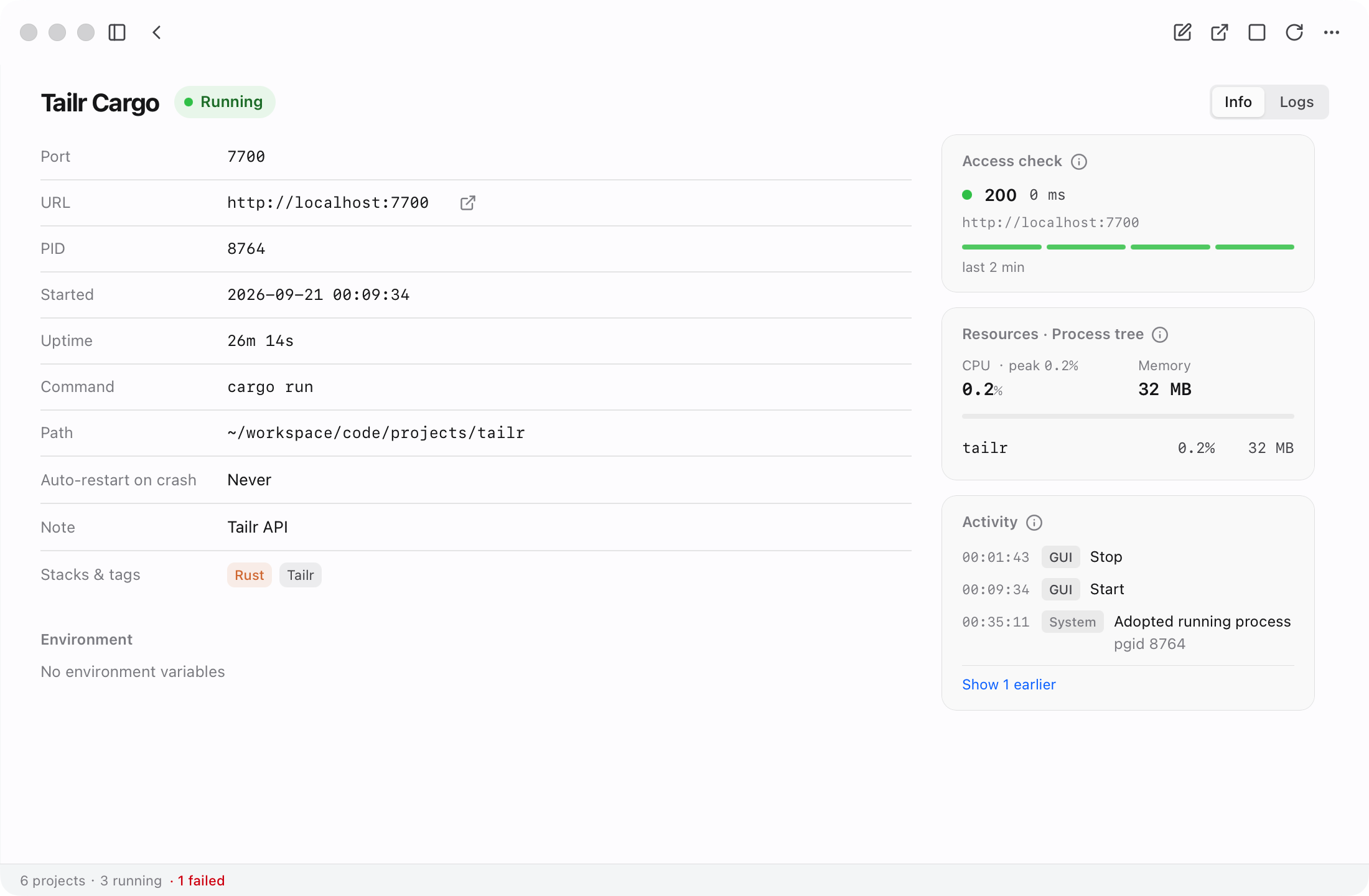
Not a concept render. This is NoTerm running. Project gallery and live health check: probe latency, CPU intensity and per-process memory, one click deep.
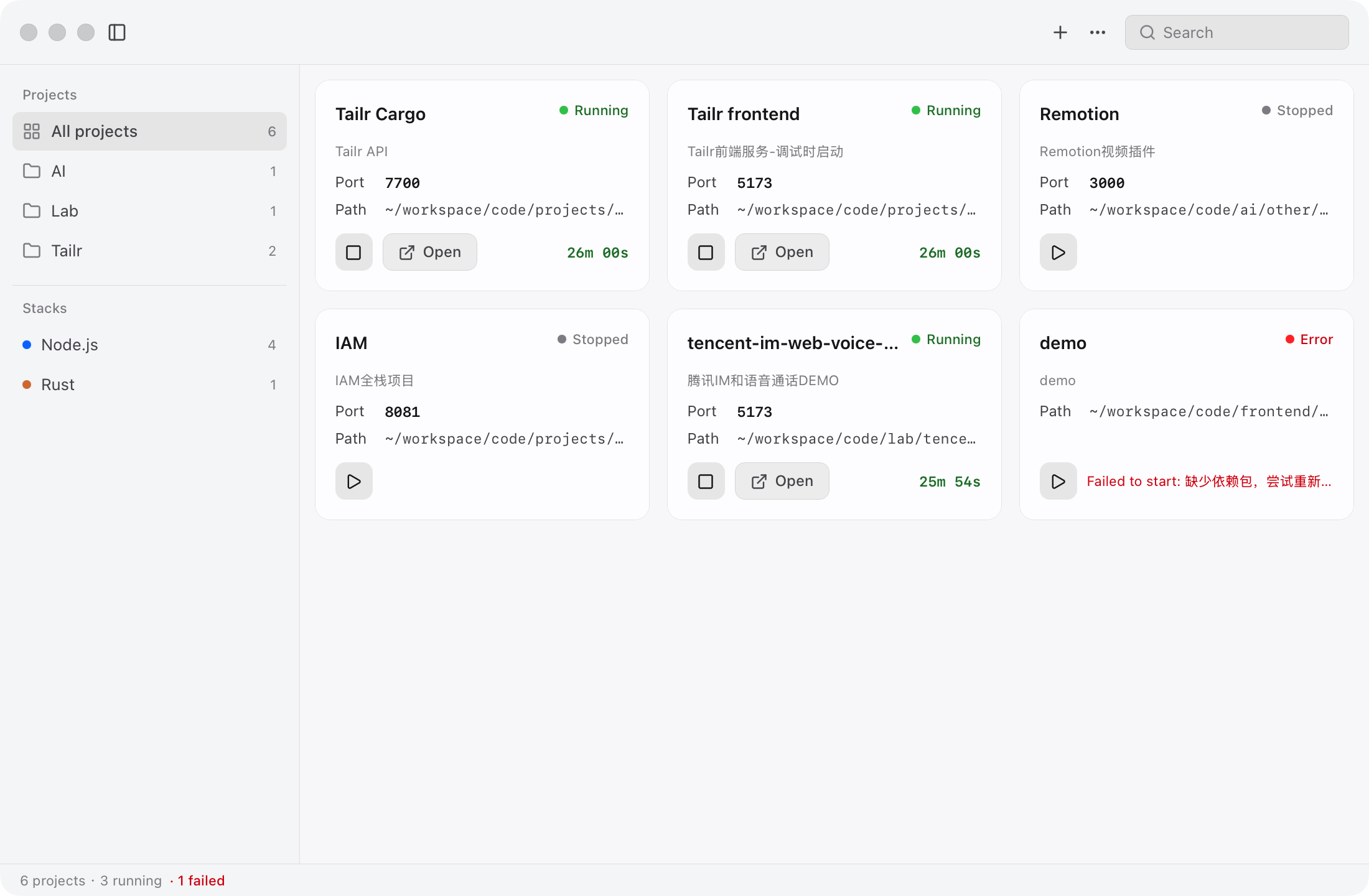
Visual management for the services on your Mac: status, logs and ports at a glance. You can see them, and so can your AI. Whoever starts or restarts a service, it lands on one shared timeline.
Not a concept render. This is NoTerm running. Project gallery and live health check: probe latency, CPU intensity and per-process memory, one click deep.
If terminals are not your thing, the plain-language status is enough. Need ports, PIDs and process trees? Expand the details: same data, no separate interface.
The agent is not the protagonist; it is a colleague. Everything it does over MCP lands on the same timeline as your clicks, stamped the same way.
What the agent sees is what you see — the MCP server is a thin client over the running NoTerm, never a second source of state.
NoTerm ships an MCP server. Your agent gets 9 tools over a local HTTP API, and every action is attributed in the timeline.
claude mcp add noterm -- /path/to/noterm-mcp
# ~/.codex/config.toml
[mcp_servers.noterm]
command = "/path/to/noterm-mcp"
// mcp.json
{
  "mcpServers": {
    "noterm": { "command": "/path/to/noterm-mcp" }
  }
}
NoTerm is still in active development; there is no downloadable release yet. Watch the repo on GitHub and be notified the day it ships.
Direct download lands here on release day; until then, build from source.